
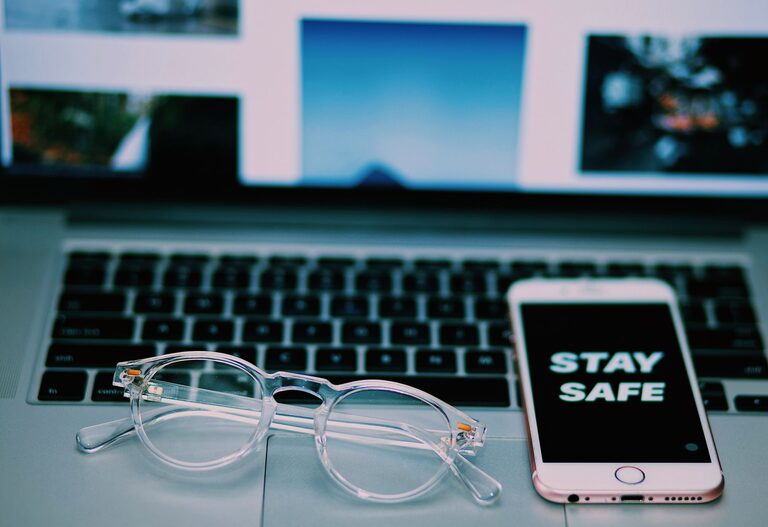
Keeping your phone and keyboard clean is essential not only for hygiene but also for the longevity of your devices. Everyday use exposes these gadgets to oils, dust, dirt, and germs. However, cleaning them improperly can lead to damage. This guide will show you how to safely clean your phone and keyboard with the right materials and techniques.
Why Clean Your Devices Regularly?
Phones and keyboards are two of the most frequently touched items in daily life. They can harbor bacteria and accumulate dust, which can affect performance and hygiene. Regular cleaning:
– Removes germs and reduces risk of illness
– Prevents buildup of grime that can damage buttons or screens
– Improves device appearance and user experience
What You’ll Need
Before starting, gather the following supplies:
– Microfiber cloths (soft and lint-free)
– Isopropyl alcohol (70% or less recommended)
– Distilled water
– Cotton swabs or soft brushes
– Mild dish soap (optional)
– Compressed air canister (optional)
– Small bowl
Avoid harsh chemicals, bleach, and abrasive materials that can harm device surfaces.
How to Clean Your Phone Safely
Step 1: Power Down and Disconnect
Always turn off your phone before cleaning. Remove any cases, covers, or accessories.
Step 2: Prepare Cleaning Solution
Mix equal parts distilled water and isopropyl alcohol (70% or less) in a small bowl. This solution disinfects while being gentle on screens.
Step 3: Clean the Screen and Exterior
– Lightly dampen a microfiber cloth with the cleaning solution. Do not soak it.
– Wipe the phone’s screen and body gently, avoiding ports and openings.
– For edges and crevices, use a slightly damp cotton swab.
– Avoid spraying liquid directly onto the phone.
Step 4: Dry and Reassemble
– Use a dry microfiber cloth to gently buff the phone.
– Let it air dry completely before turning it back on or putting the case back.
Additional Tips:
– If your phone has a removable case, clean it separately using mild soap and water.
– Avoid using bleach, ammonia-based cleaners, and paper towels.
– Clean your phone weekly or more often if it gets visibly dirty.
How to Clean Your Keyboard Safely
Step 1: Unplug or Turn Off
Disconnect your keyboard from your computer or turn it off if wireless.
Step 2: Remove Loose Debris
– Turn the keyboard upside down and gently shake it to dislodge crumbs or dust.
– Use compressed air to blow out debris from between keys.
– A soft brush can also help sweep away particles.
Step 3: Clean the Keycaps and Surface
– Lightly moisten a microfiber cloth with the water and isopropyl alcohol mix.
– Wipe the tops and sides of the keys and the keyboard surface.
– For hard-to-reach areas, a cotton swab dampened with solution works well.
Step 4: Deep Cleaning (Optional)
If your keyboard allows key removal:
– Carefully pop off the keycaps using a keycap puller or gently with fingers.
– Soak the keycaps in warm, soapy water for 10–15 minutes.
– Rinse and dry them completely before reattaching.
– Use a lightly damp cloth to clean the keyboard base.
Step 5: Dry and Reconnect
– Allow the keyboard to air dry fully.
– Reattach keycaps if removed.
– Plug back in or turn on.
Additional Tips:
– Avoid spraying liquid directly onto your keyboard.
– Regularly clean your keyboard to prevent buildup and maintain function.
– Some keyboards have specific cleaning instructions — check your manufacturer’s guidelines.
General Maintenance Tips
– Wash hands before using devices to reduce dirt transfer.
– Keep food and drink away from your devices during use.
– Store devices in clean, dry places.
– Consider using protective covers or skins for extra protection.
Final Thoughts
Cleaning your phone and keyboard doesn’t have to be complicated or risky. With gentle materials and simple methods, you can maintain your devices’ cleanliness and functionality. Regular care helps prevent buildup and prolongs the life of your gadgets, making them safer and more pleasant to use every day. Remember to always follow manufacturer recommendations if available, and avoid harsh chemicals or excessive moisture.
By incorporating these tips into your routine, you’ll enjoy cleaner, well-maintained devices without any damage. Happy cleaning!